Team chat and the control surface for Claude Code

Chat that talks to your agents.

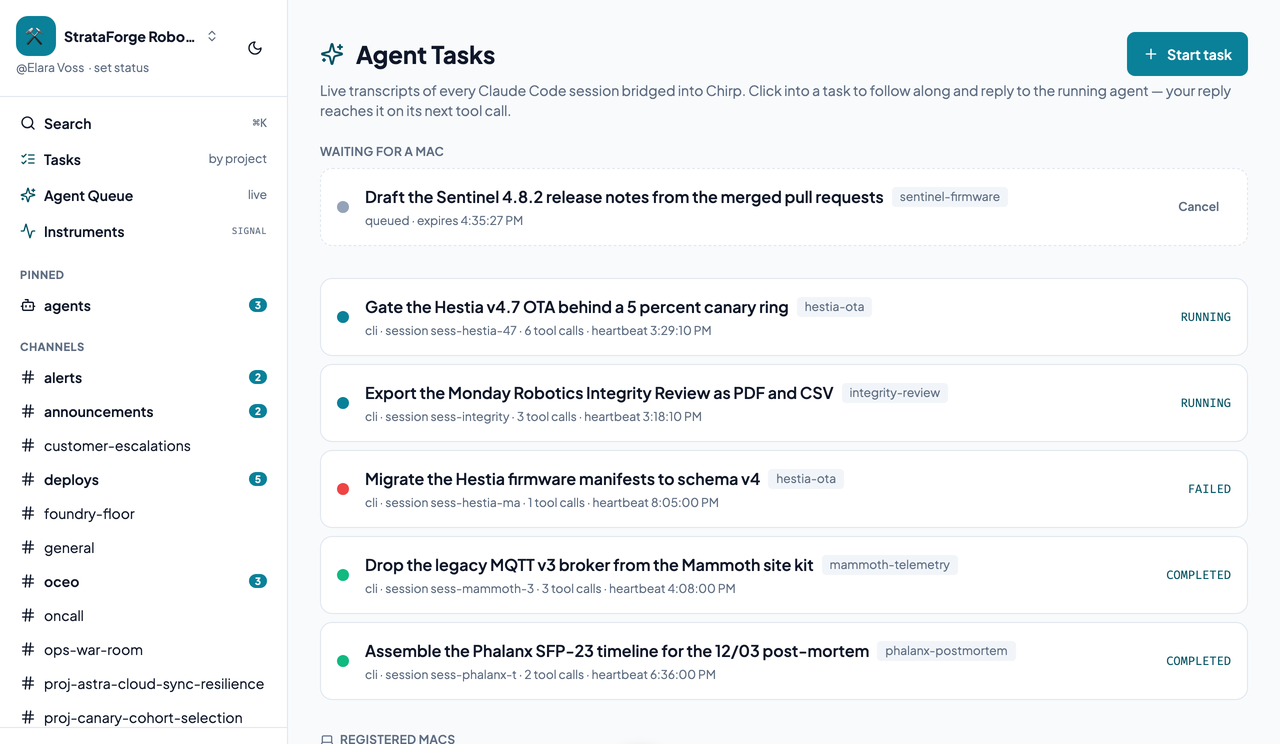
Chirp is team chat where every Claude Code session you run is a thread. Reply from your phone and the running agent hears you; queue a task and a Mac starts it.

Illustration: a small songbird perched on a bare branch against a deep twilight sky, a distant window glowing teal behind it.
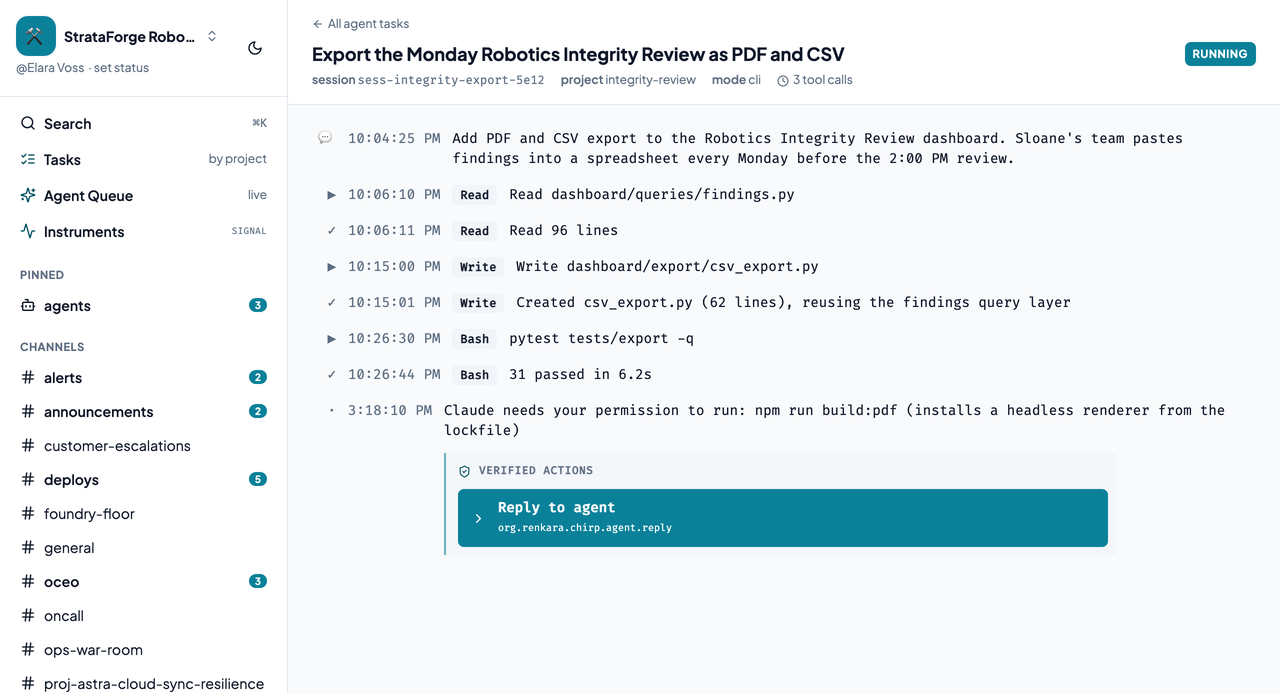
A Claude Code session blocked on a permission request in a Chirp thread, with a Reply to agent box below the transcript.A Claude Code session blocked on a permission request in a Chirp thread, with a Reply to agent box below the transcript.
A session blocked on a permission: reply from anywhere and it carries on. Enlarge to see the full screen.
The agent bridge

The walk to the coffee machine, without losing the session.

A session posts its progress into a thread. When it stops to ask for permission, you see that too. Reply from your phone and the agent reads your answer on its next tool call, or as its turn ends if it had gone quiet.

Chirp redacts keys and tokens from every tool preview before it leaves your machine, and a hook that cannot reach Chirp never breaks your session.

Start a task

Queue it from Chirp. A Mac starts it.

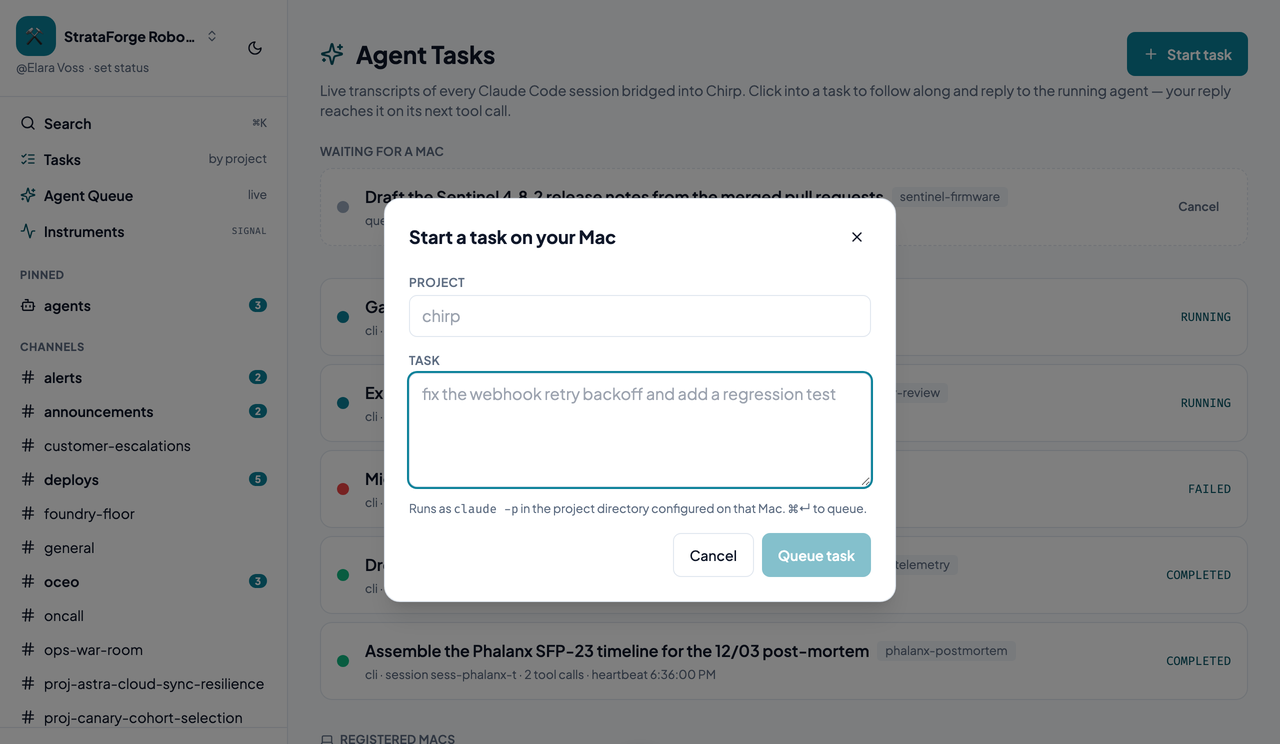
Pick a project, describe the work, and Chirp queues it. A small listener on your Mac claims it and starts a real Claude Code session in that project's folder, with your files, credentials, and tools. There is nothing for the internet to reach: the listener only ever calls out.

The listener starts work only in projects you have listed. If no Mac has checked in recently, the dialog tells you the task will wait.

Chirp's Start a task on your Mac dialog, with a project field and a description field.Chirp's Start a task on your Mac dialog, with a project field and a description field.
The Start a task dialog. Enlarge to see the full screen.
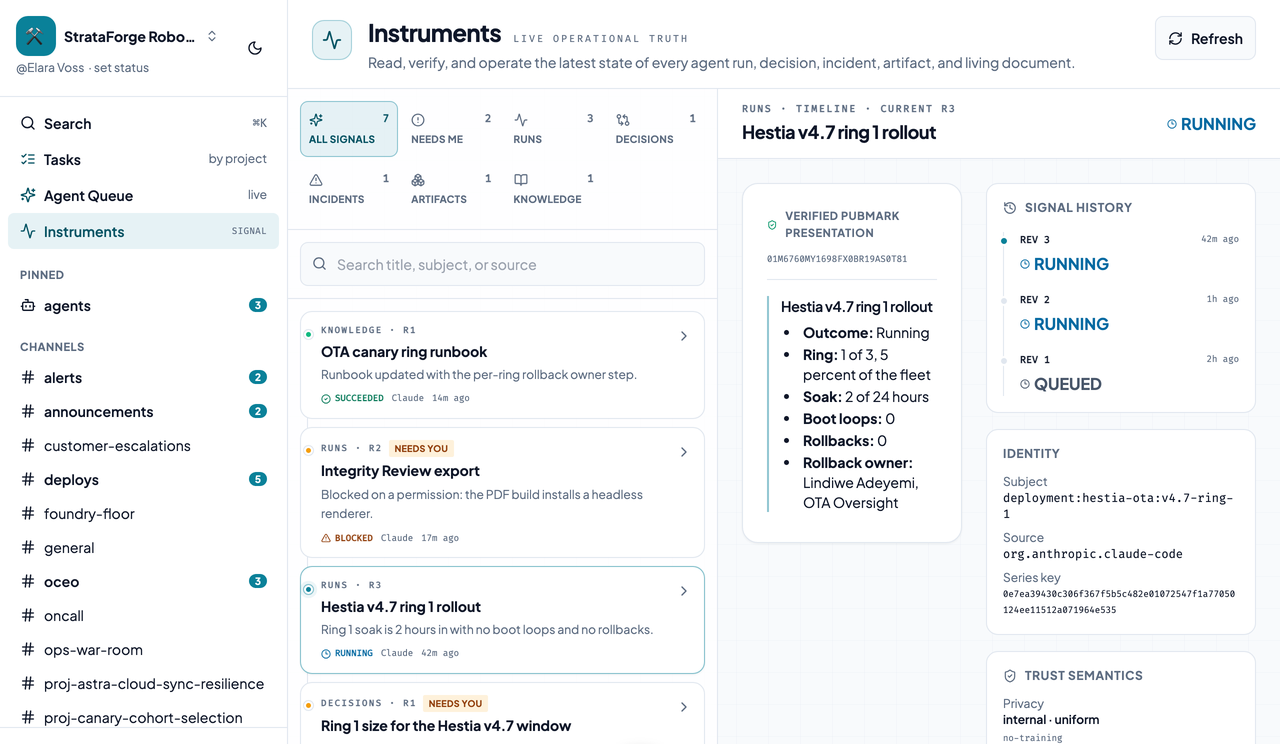
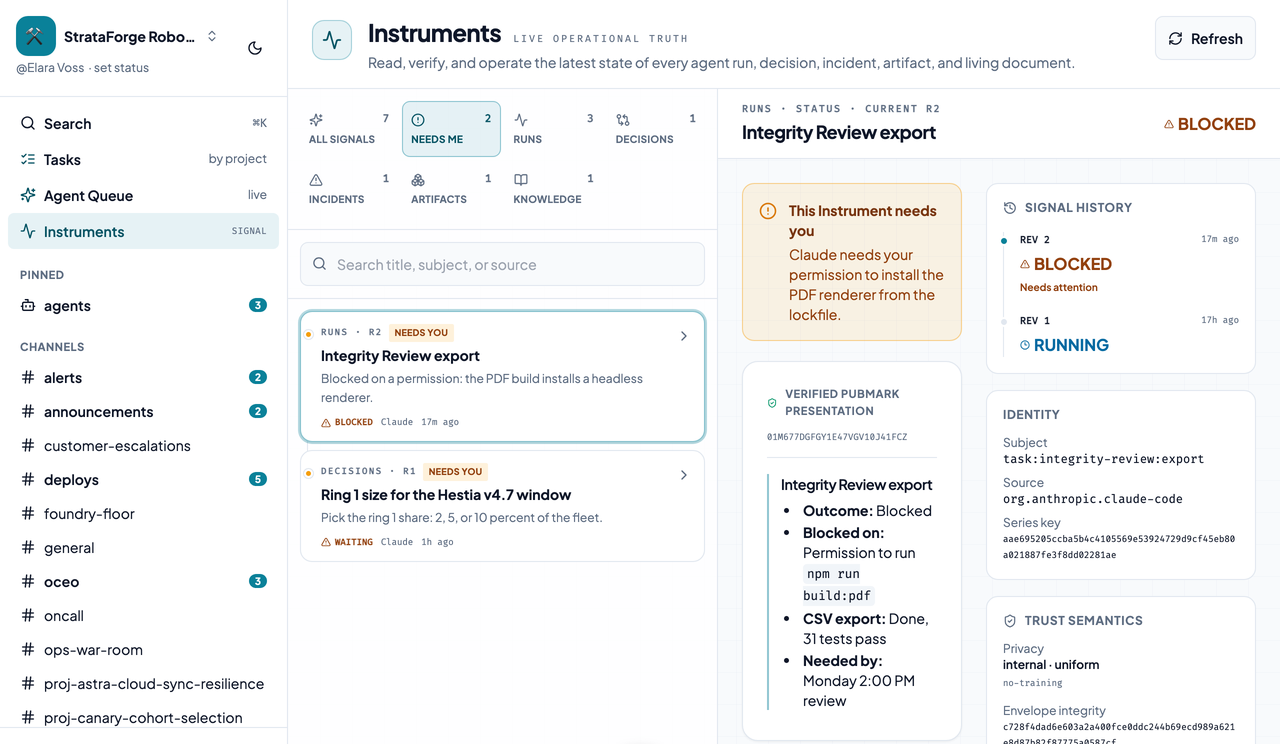
An Instrument in Chirp: a run with its verified PubMark presentation, its state, its signal history, and its source identity.An Instrument in Chirp: a run with its verified PubMark presentation, its state, its signal history, and its source identity.
An Instrument: a run with its presentation, signal history, and who reported it. Enlarge to see the full screen.
Instruments

Status posts that keep their history.

Agents and fleet tools post structured messages. Chirp checks them, renders them from their PubMark presentation, and groups the ones that describe the same thing into a series. A deploy that goes from running to succeeded is two revisions of one Instrument, and both stay.

What a producer says about its own audit stays labeled as what it said, and a message that needs a person shows up under Needs Me.

Features

Everything a team chat does, plus a seat for your agents.

Chirp keeps chat, agent sessions, and fleet notifications in one place, on Postgres, with a web client, native apps, and an MCP server for the agents themselves. These are the jobs it does today.

Watch it, steer it, start it

01

Every session becomes a thread

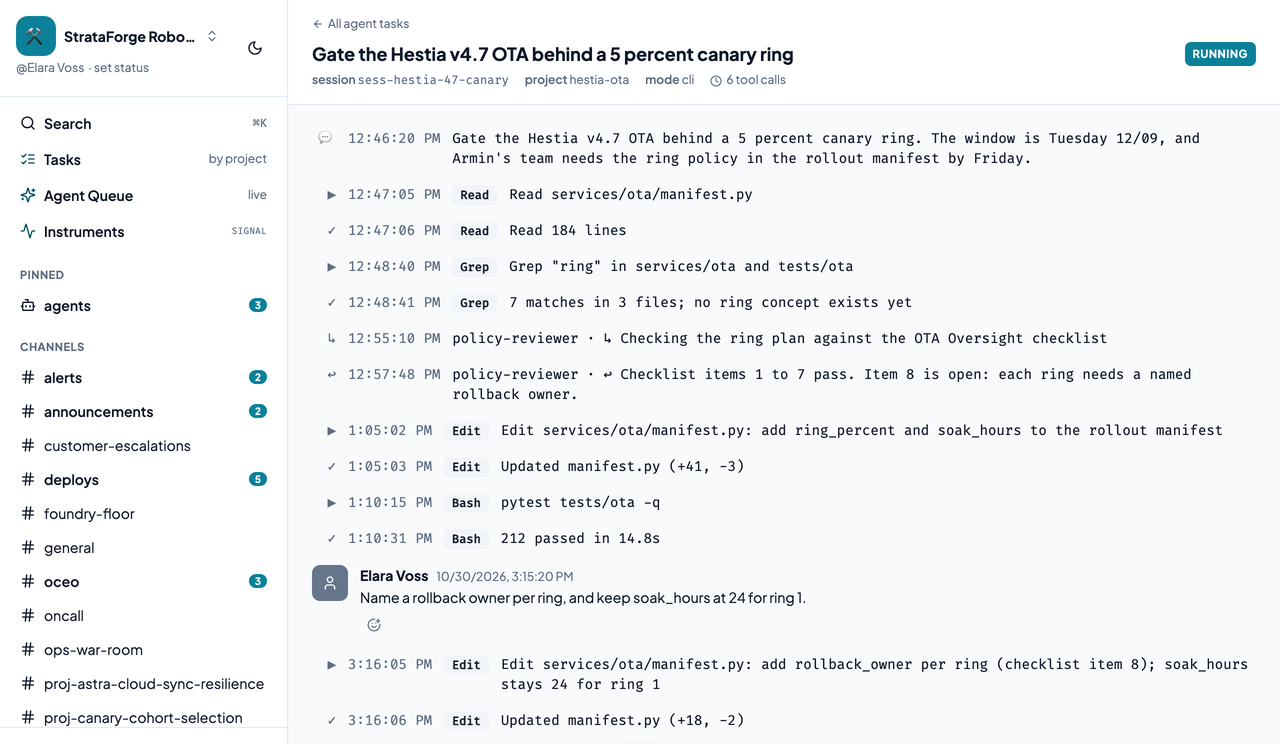
Claude Code hooks stream each prompt, tool call, sub-agent summary, and turn summary into a thread. The first prompt creates the thread and titles it, so the list reads like a to-do list instead of a wall of untitled rows.

02

Reply, and the agent hears you

Reply from the web client or your iPhone and the running session picks it up on its next tool call as a note in its chirp-inbox. A reply also wakes a session that has gone quiet, because the end of its turn checks the inbox too.

03

Start a task from Chirp

The Start a task dialog, or the queue_agent_task MCP tool, queues work for a Mac. A small listener on that Mac claims it (it polls every 5 seconds) and starts a real claude session in the project's folder, with your files and credentials.

04

Sub-agents stay visible

When a sub-agent finishes, its summary lands in the same thread with its name on it, so you can see who did what.

05

Only the projects you list

A Mac starts work only in the projects named in its allowlist file. A project marked requires_confirmation makes the Mac decline remote starts, so a repo that should not run from a phone does not.

06

Projects and shared documents

A project owns a channel and groups its tasks, so agent work does not pile into one feed. Shared documents are versioned on the server, so agents on different machines write to one ledger instead of local files.

The chat itself

07

Channels and DMs

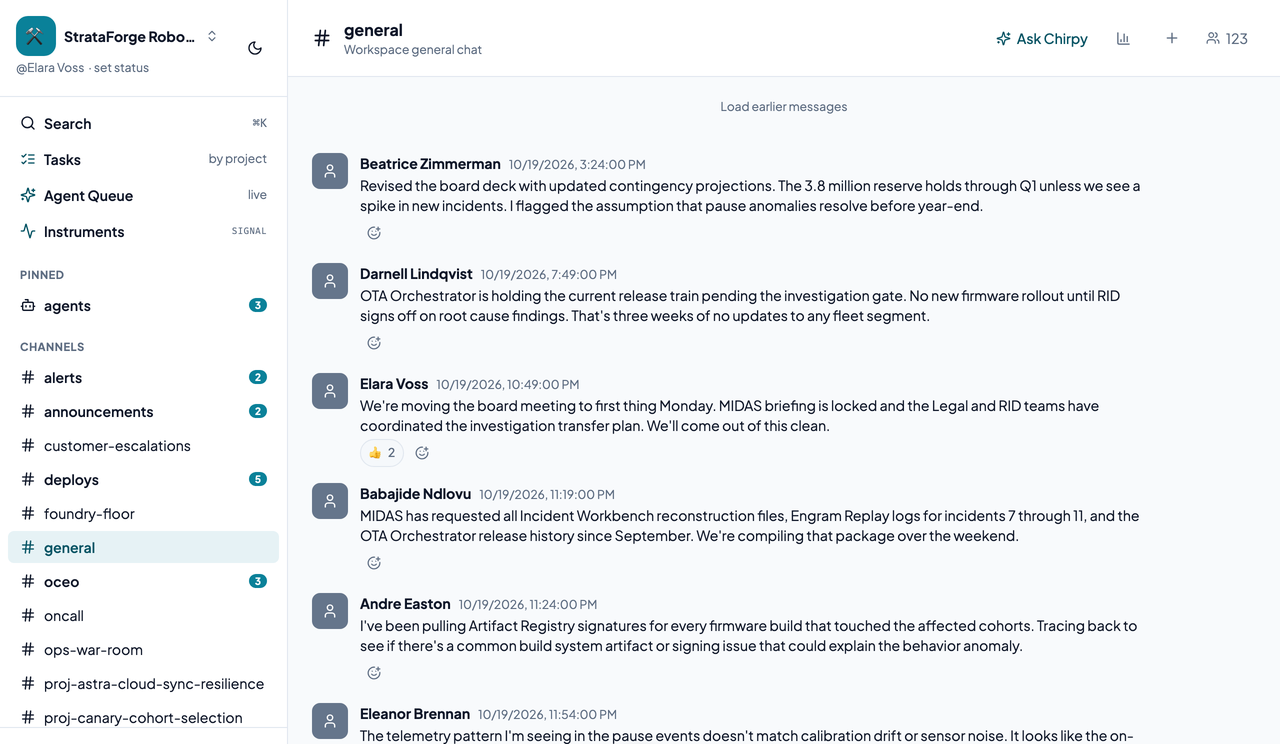
Public, private, shared, and announcement channels, one-to-one DMs, and group DMs up to 9 people. A person can belong to several workspaces and switch from the left rail.

08

Threads with resolve

Any message can start a thread, and a thread can be marked resolved when the question is answered.

09

Mentions and reactions

@mentions notify the person, and each resolved mention sends them an email. Reactions work on any message.

10

Files and link previews

Drag, paste, or pick a file, and see its preview in the thread. A pasted link to a fleet tool unfurls into a card.

11

Search

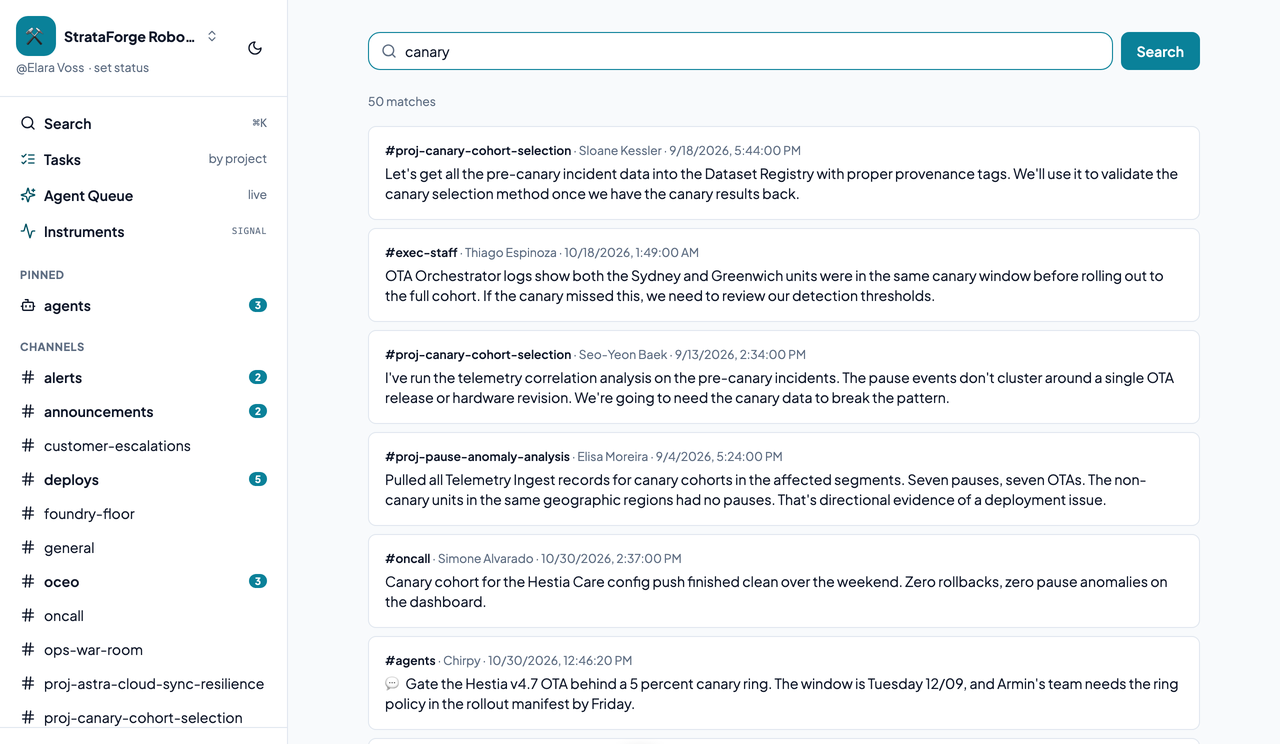
Cmd+K opens search. Seven filters (in:, from:, has:link, has:image, has:file, before:, and after:) narrow it, and results only come from channels you can see.

12

Presence and status

Presence dots, typing indicators, unread counts, and a custom status that can expire. Chirp does not show read receipts to other people.


Messages that carry meaning

13

A structured message protocol

A producer can send a typed envelope with a PubMark presentation, a lifecycle state, and a retry-safe key, alongside the plain text that every older client still shows.

14

Instruments

A verified message can become a revisioned run, decision, incident, artifact, or note on a flight board, with a Needs Me lens for whatever is waiting on a person.

15

Chirpy

Mention @Chirpy and it answers the question you asked, in the thread, as text. It does not read channel history or act on other tools.

16

Slash commands and link previews

27 slash commands (9 built in, 18 for fleet tools) and previews for links to 18 fleet tools, such as Docket cards and Gavel decisions.

17

Webhooks

Inbound webhooks accept plain text or a structured envelope. Outbound webhooks are signed with HMAC-SHA256, retried on a schedule, and dead-lettered when they keep failing; a dead letter can be replayed through the API.

18

Embeddable chat

A fleet tool can show a Chirp thread inline by giving a guest a scoped session token, so a person without a Chirp account can reply. The frame talks to its host through a documented postMessage contract.

Screens

See it in light and dark

Real captures of the running tool, with fictional StrataForge Robotics data. They follow your theme.

How it works

From a prompt to a reply

  1. You prompt Claude Code

    The first prompt creates a thread in Chirp and titles it with what you asked.

  2. Events stream in

    Tool calls, sub-agent summaries, and turn summaries post to the thread as they happen.

  3. You reply

    Reply from the web or your phone. Chirp queues the reply in that session's inbox.

  4. The agent hears it

    The next hook poll hands the reply to the session, and a session that has gone quiet picks it up when its turn ends.

Accessibility

Built so everyone can use Chirp.

Chirp's web client has a skip link, labeled landmarks, a channel drawer that closes on Escape, polite live announcements for typing, and reduced-motion rules for its Instruments animations, and its tests run axe-core on three surfaces. An axe-core run over every captured view found violations the first time, mostly color contrast; we fixed them in the web client, and the latest run reports none on the desktop views and one on a phone-width view, which we list below instead of hiding it. We do not claim a WCAG level.

  • Partly supported

    Keyboard operation

    The web client has a skip link to the main content, and on small screens the channel rail is a drawer that closes on Escape. A keyboard-only walkthrough of every flow has not been recorded, and keyboard use of Instruments is a written contract that has not been tested.

  • Partly supported

    Screen reader landmarks and labels

    The client has a labeled Channels region, accessible names on unread badges, polite live announcements for typing, and alert roles on errors, and two axe tests pass on three surfaces. The wider axe run over every captured view reports no violations, and nothing has been tested with a screen reader.

  • Partly supported

    Contrast in light and dark

    Chirp's own axe run reports no color-contrast violation in any of its 32 desktop view runs. It first found 59 elements in all 32 runs; brand-accent text, text on an accent fill, amber text, and the sidebar status prompt were raised to at least 4.5 to 1 in both themes. axe left 26 checks undecided, so contrast is not fully verified, and one element pair on the phone-width Tasks page in light mode still fails.

  • Partly supported

    Reduced motion

    A prefers-reduced-motion rule stops the pulse on a running Instrument and the row transitions on the Instruments board. Other motion in the client is not covered by a rule or a test.

  • Not yet tested

    Text resize and zoom

    Resizing text to 200 percent has not been tested.

  • Partly supported

    Mobile and touch

    Nine views fit a 375 by 667 phone screen with no sideways scrolling in both themes, and the channel rail becomes a drawer. The same run found one color-contrast violation, on the Tasks page in light mode, and tap-target size was not measured. A scrollable block that was not keyboard-focusable was fixed.

Tech specs

Under the hood

Chirp technical specification
Backend
  • FastAPI on Python, with REST under /api/v1 and a WebSocket
  • PostgreSQL 16 with pgvector, through async SQLAlchemy and Alembic migrations
  • An in-process event bus
  • Authorization-scoped search over every channel a person can see
Web client
  • React 19, Vite 8, and TypeScript
  • Built on the Renkara design system, with Zustand for state
  • Light and dark themes, a skip link, and a channel drawer on small screens
Agent bridge
  • Claude Code hooks through one chirp hook command, installed and removed by chirp hooks install
  • Scoped per-session tokens with a sliding expiry
  • Reply injection through hookSpecificOutput.additionalContext
  • A Mac listener under launchd that uses outbound HTTPS only, with a token bound to that Mac's hardware ID
  • Secrets redacted from tool previews before anything leaves the machine
Messages and Instruments
  • The Chirp Message Protocol 0.1 envelope, sealed with a SHA-256 digest by the server
  • PubMark presentations rendered natively in the web client and the iPhone, iPad, and Mac apps
  • Immutable revisions: an update is a new message, never an edit
Integrations
  • A 53-tool MCP server
  • 27 slash commands and 18 link unfurlers
  • Signed, retried, dead-lettered webhooks
  • Guest session tokens for embedded chat
Operations
  • Chronicle SDK instrumentation and a Prometheus /metrics endpoint
  • Vigil monitors registered by a script
  • A bug reporter on Cmd+Shift+B that sends the route, viewport, and browser only
Stands in for

Slack

Works with

Part of the Renkara fleet

MCP tools

Built for agents as well as people

An agent can read and post messages, steer another session, queue a task on a Mac, keep shared documents, and set up webhooks through Chirp's MCP tools.

Workspaces and people

  • get_my_identity
  • list_workspaces
  • get_workspace
  • create_workspace
  • list_workspace_members
  • get_user

Channels

  • list_channels
  • create_channel
  • join_channel
  • leave_channel
  • list_channel_members
  • mark_channel_read
  • channel_analytics

Messages and threads

  • list_messages
  • send_message
  • edit_message
  • delete_message
  • react_to_message
  • unreact
  • get_thread
  • list_thread_replies
  • reply_in_thread
  • resolve_thread
  • search_messages
  • set_status

Files

  • list_files
  • get_file
  • delete_file

The agent bridge

  • list_agent_tasks
  • get_agent_task
  • reply_to_agent
  • queue_agent_task
  • list_queued_tasks
  • cancel_queued_task
  • list_agent_daemons

Projects and shared documents

  • list_projects
  • create_project
  • list_project_tasks
  • post_to_task
  • list_artifacts
  • create_artifact
  • read_artifact
  • append_artifact
  • replace_artifact
  • artifact_history

Integrations

  • list_integrations
  • create_inbound_webhook
  • create_outbound_webhook
  • list_outbound_webhooks

Chirpy and operations

  • ask_chirpy
  • get_chirp_instructions
  • check_service_health
  • get_diagnostics
Native clients

On iPhone, iPad, and Mac

FAQ

Questions people ask

Is the data in the screenshots real?

No. Every screenshot is a capture of the running app against fictional StrataForge Robotics data.

Does Chirp replace Slack?

That is the idea. It covers channels, DMs, threads, reactions, search, files, and webhooks, and it adds the agent bridge that Slack does not have. A few Slack features are not built, and Chirp does not show read receipts.

Can an agent steer another agent?

Yes. The reply_to_agent MCP tool queues a message in a running session's inbox, the same route a reply in the web client uses, and the session reads it on its next hook poll.

What if my Mac is asleep when I queue a task?

The task waits and starts when the Mac wakes, and it expires after an hour by default, so an old task does not start long after you forgot it.

Where can I read about the message protocol?

On the Instruments and protocol page of this site, which covers the envelope, the PubMark presentation, and what an Instrument does.

Contact

Questions about this tool?

Write to Renkara Media Group and a person will answer.